How to Transfer Shares online Using NSDL SPEED-e (Off-Market Transfer)
This guide explains how to register for NSDL SPEED-e and transfer shares from your Demat account with Navia using the Off-Market Transfer facility.
Step 1 – Register for NSDL SPEED-e
Visit the NSDL SPEED-e registration page:
https://eservices.nsdl.com/SecureWeb/AccessController.do?SCREEN=9500
Note: Enter IN551239 as CMBP ID for Navia Markets Ltd
Complete the online registration form.
After successful registration, a Reference Number will be displayed on the screen.
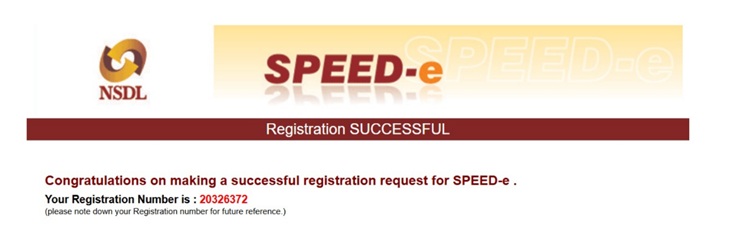
3. Send this Reference Number to Navia by creating a ticket using the option provided below in this article.
4. Navia Markets Ltd. will enable SPEED-e access for your Demat account.
5. Once enabled, you will receive a confirmation email.
You can then login using:
6. Enter your User ID and Password created during registration.
Step 2 – Add Beneficiary Demat Account
After logging into SPEED-e:
Go to Beneficiary Maintenance.
Enter the beneficiary Demat account details.
Click Validate to verify the beneficiary name.
Click Submit.
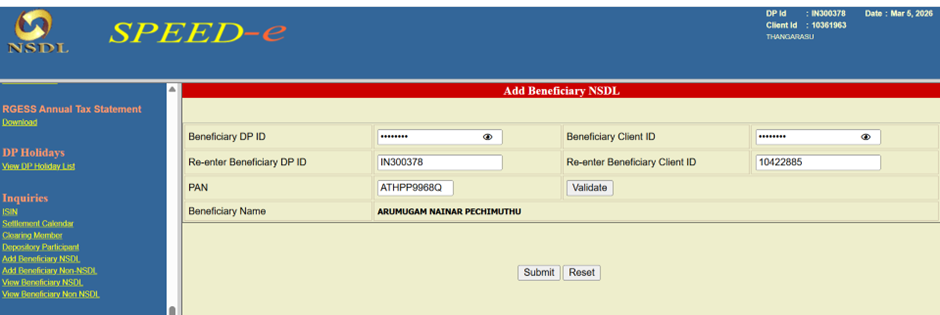
You will receive an OTP on your registered mobile number.
Enter the OTP to complete the beneficiary validation.
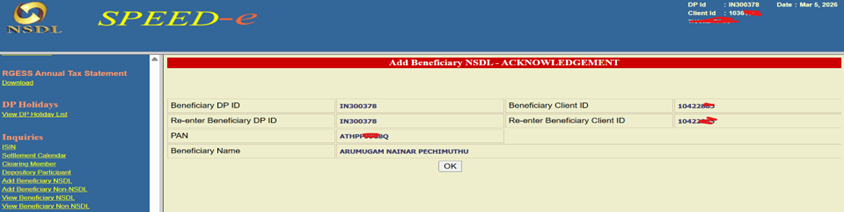
Once completed, the beneficiary will be successfully added to your SPEED-e account.
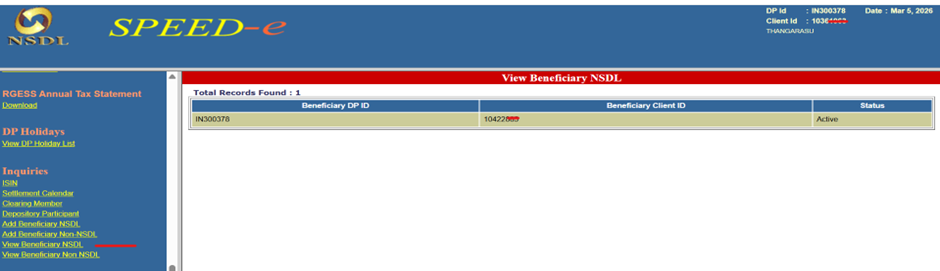
To verify beneficiary details:
Menu → Enquiries → View Beneficiary Details
Step 3 – Submit Delivery Instruction (Off-Market Transfer)
After adding the beneficiary:
Initiate the Delivery Instruction.
Enter the required details such as:
ISIN
Quantity
Beneficiary details
Before submitting the request, you must pay the applicable stamp duty.
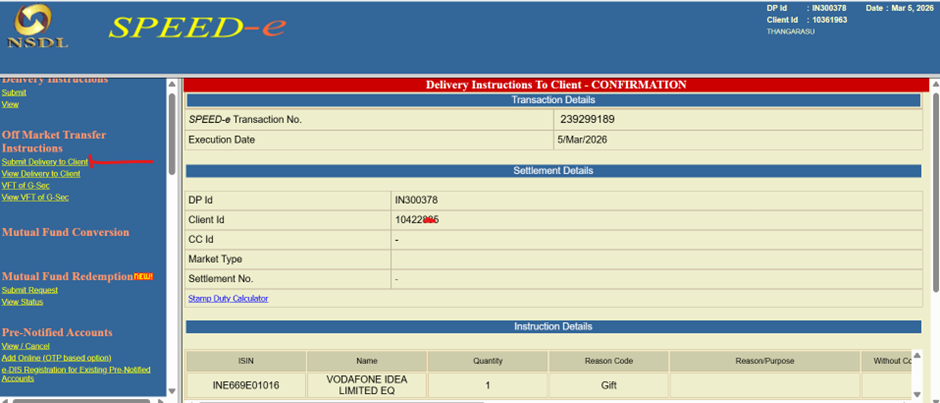
Note: Stamp Duty not applicable for Gift Transfer
Once the details are entered:
Submit the request.
Enter the OTP received on your registered mobile number.
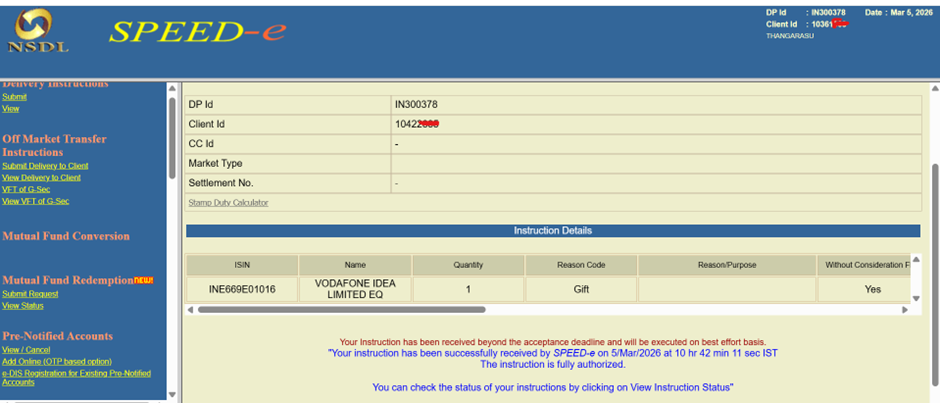
After OTP validation, the Off-Market Transfer request will be successfully submitted.
Step 4 – Consent for Off-Market Transfer
After Navia validates your request:
• You will receive an SMS / eMail with a consent link.
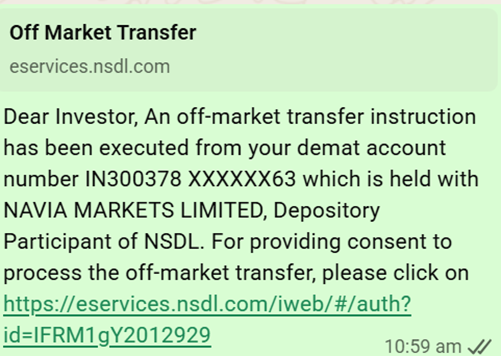
• Click the link and approve the transaction.
⚠️ Important:
You must verify and approve the consent before 10:00 PM on the same day.
If not approved, the link will expire.
After approval, the shares will be transferred to the beneficiary Demat account within one working day.
Cut-Off Time
Off-Market Transfer requests must be submitted before 4:30 PM on working days (Monday – Friday).
Requests submitted after this time will be processed on the next working day.
Important Points
⚠️ Maintain sufficient balance in your Trading/Demat account to process the transaction.
⚠️ If transaction charges are not available, the request will not be processed.
⚠️ For the applicable charges, please refer to Navia DP Charges Schedule.
Disclaimer: Once Speed-e is enabled, the DDPI (POA) will be automatically disabled. As a result, users will not be able to view their holdings in the trading app.
Was this article helpful?
That’s Great!
Thank you for your feedback
Sorry! We couldn't be helpful
Thank you for your feedback
Feedback sent
We appreciate your effort and will try to fix the article
Related articles
Still need help?